
Goal
Confirm the clinic facts and describe what you want to improve.
PRODUCT · INTERACTIVE WORKSPACE PREVIEW
Bring website, search visibility, reception and marketing work into one practice workspace. Explore the current preview and see exactly what is live and what is being built next.
Live: clinic discovery and request intake. Preview: guided onboarding, deterministic planning, editable templates and review. In development: live AI generation, OAuth connections and external actions.
Confirm the clinic facts and describe what you want to improve.
The AI Manager preview assigns tasks, owners and dependencies.
Eight specialist workrooms produce local template drafts from the brief.
Open each draft, edit the content and check the practice details.
Record a review decision. Nothing is automatically published, sent or spent.
ONE SHARED BRIEF
Give the manager a goal such as “help us plan more implant inquiries.” The preview creates a project and template work for the relevant specialist roles. You can follow the handoffs and open each agent’s workroom.
The current planning flow is deterministic browser logic, not a live LLM. Authenticated AI planning and connected account actions are the next development milestones.
Read the actual architecture ↗
 Preview
Plan service pages and review an editable website brief.
Open workroom ↗ Preview
Organize search topics and an on-page SEO checklist.
Open workroom ↗ Preview
Review practice facts and draft a Google Maps improvement plan.
Open workroom ↗ Preview
Prepare reception replies and human handoff instructions.
Open workroom ↗ Preview
Review patient-friendly article and website copy templates.
Open workroom ↗ Preview
Build a video brief and review a script outline.
Open workroom ↗ Preview
Plan social posts and review caption drafts.
Open workroom ↗ Preview
Review a campaign brief, messages and a proposed budget.
Open workroom ↗These eight workrooms use local templates today. Live model generation, external account access, publishing, calls and ad spend are in development.
REAL PRODUCT SCREENS
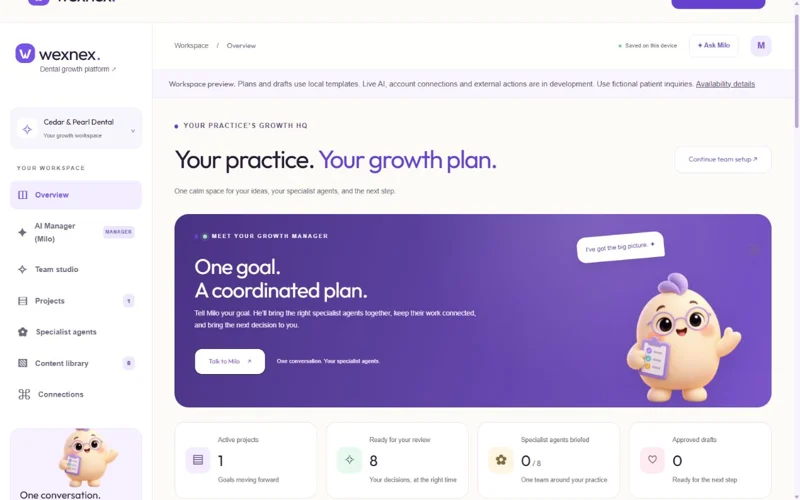
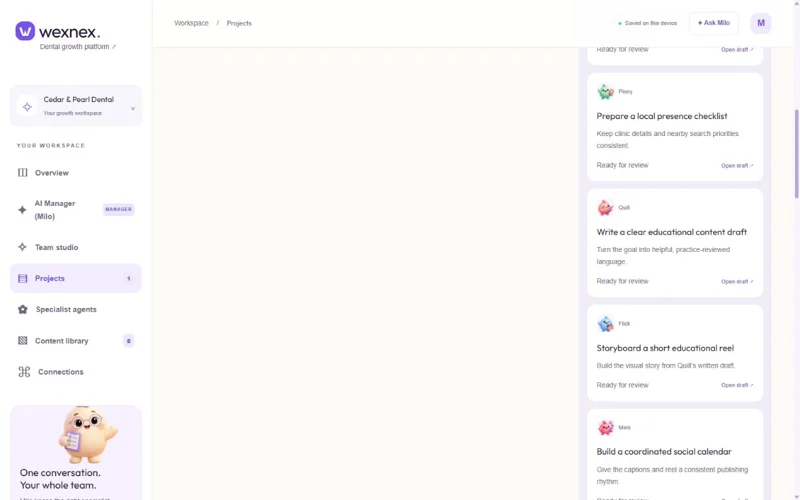
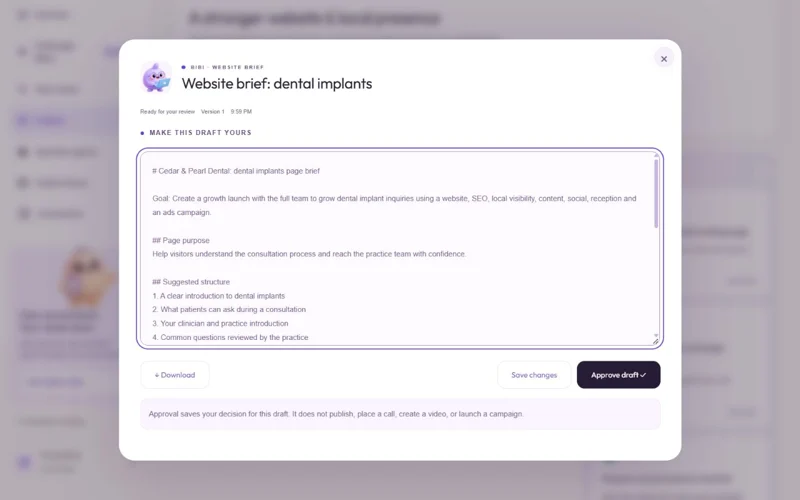
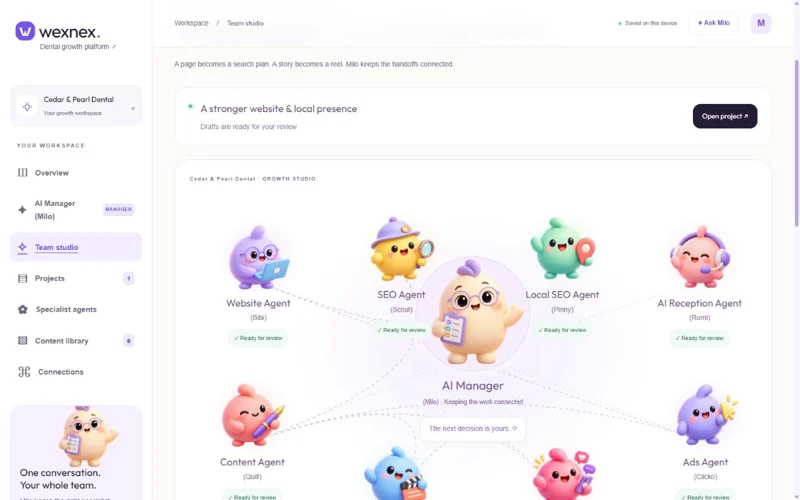
Real product screenshots using Cedar & Pearl Dental, a fictional practice. The workspace is a public preview with locally produced templates; it does not execute external actions.
Find the public Google Places profile, confirm the details with the AI Manager, then brief each specialist. Google and Meta connection screens currently demonstrate the intended authorization flow; they do not grant access to an account.
Practice name, website, hours and contact details stay in one shared brief. Live Google Places data stays in the session.
The project timeline and team studio show task dependencies, template drafts and review decisions.
Nothing goes live from the preview. Authorized integrations, role-based access and production audit records are still being built.
Use fictional inquiries in the public preview. Wexnex does not give medical advice or replace clinical staff.
Start with a free clinic lookup or explore the public workspace.